

Nasıl etkinleştirilir
- Steam uygulamasını yükleyin ve hesabınıza giriş yapın (ücretsiz hesap yeterli).
- Üst menüden „Oyunlar” → „Steam'de Bir Ürün Etkinleştir…” seçeneğini seçin.
- Anahtarı siparişinizde göründüğü gibi (tirelerle) girin ve onaylayın. Oyun kitaplığınızda görünür.
Oyun hakkında
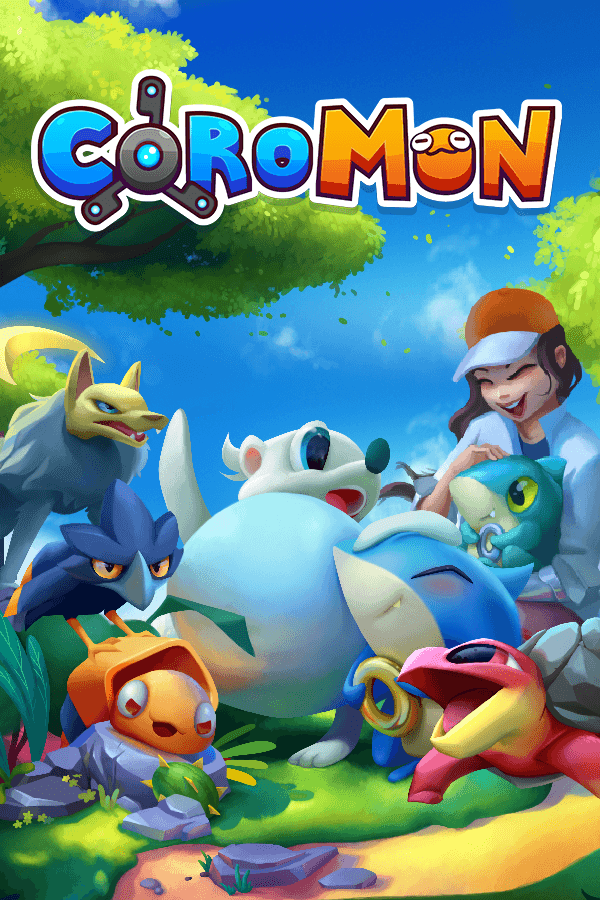
The sun begins to dawn on Velua, a new day for the world and a new day for you, a freshly minted Battle Researcher of the global research society known as Lux Solis. It’s your first day and everything goes smoothly until a mysterious force attacks your latest workplace. Build up a squad of Coromon, track down the invaders, and grapple with a rising threat that endangers everyone on Velua! ...
System Requirements
Minimum
- Windows
- İşletim Sistemi
- Windows 7
- İşlemci
- 1.0 GHz
- Bellek
- 1 GB RAM
- Ekran Kartı
- OpenGL 2.1 or higher
- Depolama
- 2 GB available space
- macOS
- İşletim Sistemi
- 10.15
- Bellek
- 1 GB RAM
- Ekran Kartı
- OpenGL 2.1 or higher
- Depolama
- 2 GB available space
Recommended
- Windows
- İşletim Sistemi
- Windows 7
- İşlemci
- 1.0 GHz
- Bellek
- 1 GB RAM
- Ekran Kartı
- OpenGL 2.1 or higher
- Depolama
- 2 GB available space
- macOS
- İşletim Sistemi
- 10.15
- Bellek
- 1 GB RAM
- Ekran Kartı
- OpenGL 2.1 or higher
- Depolama
- 2 GB available space