

Nasıl etkinleştirilir
- Steam uygulamasını yükleyin ve hesabınıza giriş yapın (ücretsiz hesap yeterli).
- Üst menüden „Oyunlar” → „Steam'de Bir Ürün Etkinleştir…” seçeneğini seçin.
- Anahtarı siparişinizde göründüğü gibi (tirelerle) girin ve onaylayın. Oyun kitaplığınızda görünür.
Oyun hakkında
The moment of Apocalypse approaches, this time... ...you fight for yourself!
「Apocalypse Party」 is distinct from the former 「Project Zero」
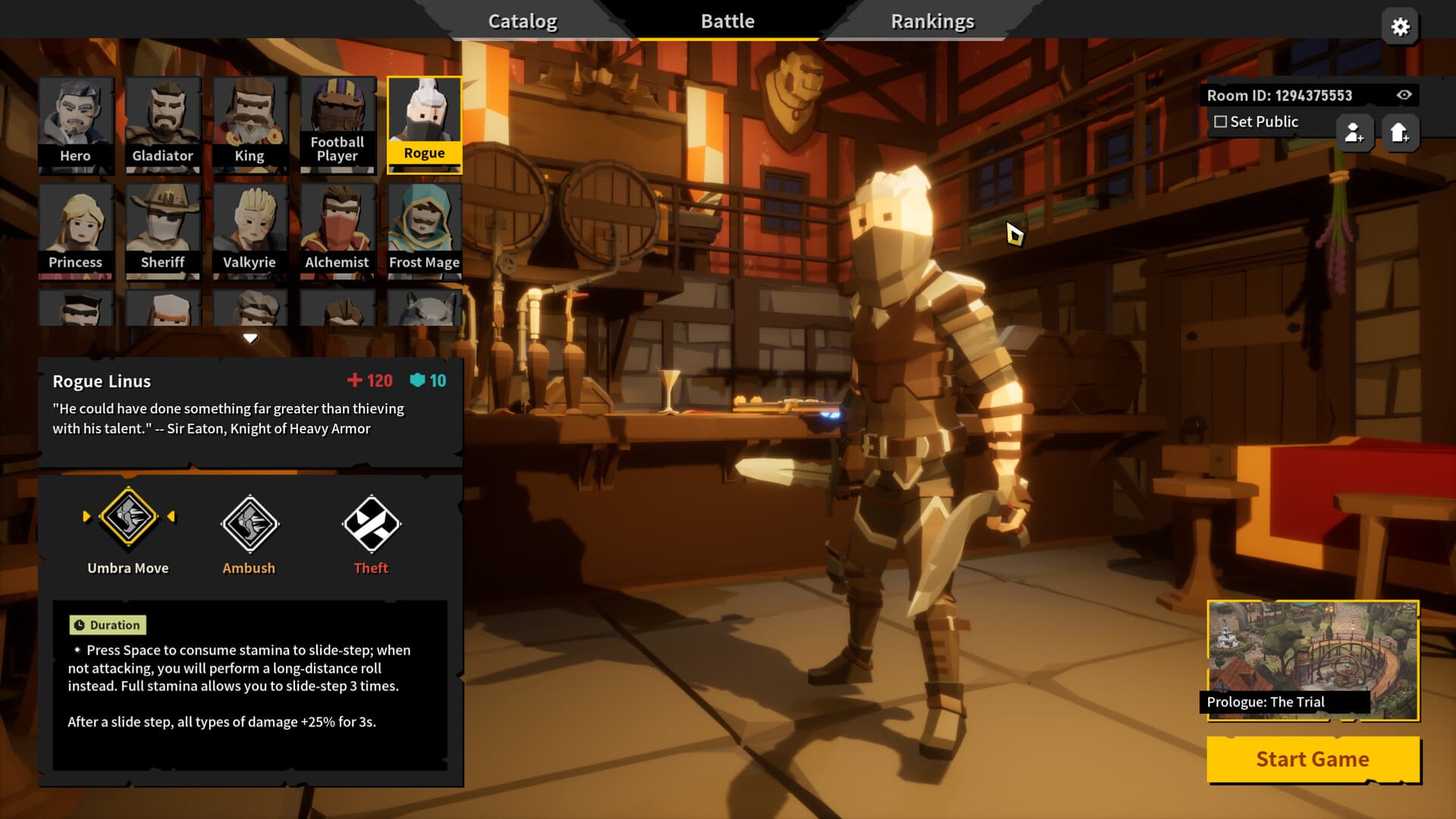
In this installment, you will delve deeper into this long-standing battle, with the story gradually becoming incredible! Time travel? Apocalypse? Saving the world? You will face many more unknown challenges... ...
But it still retains our beloved RogueLike + mowing-down-enemies combo, and you will face this catastrophe online with your friends (of course, you can also face it alone)!
■ Engaging and Deep Mechanics ■ ...
System Requirements
Minimum
- Windows
- İşletim Sistemi
- Windows 7 or newer, 64-bit
- İşlemci
- Intel Core i3-6100 / AMD FX-8350
- Bellek
- 4 GB RAM
- Ekran Kartı
- GTX 580 / AMD HD 7870
- DirectX
- Version 11
- Ağ
- Broadband Internet connection
- Depolama
- 5 GB available space
- Ses Kartı
- DirectX 11 Compatible
Recommended
- Windows
- İşletim Sistemi
- Windows 7 or newer, 64-bit
- İşlemci
- Intel Core i5-4670K / AMD Ryzen 5 1500X
- Bellek
- 4 GB RAM
- Ekran Kartı
- GTX 1060 / AMD Radeon RX 580
- DirectX
- Version 11
- Ağ
- Broadband Internet connection
- Depolama
- 5 GB available space
- Ses Kartı
- DirectX 11 Compatible