

कैसे सक्रिय करें
- Steam इंस्टॉल करें और अपने खाते में साइन इन करें (मुफ़्त खाता काफ़ी है)।
- ऊपर के मेनू में „Games” → „Activate a Product on Steam…” चुनें।
- कुंजी को ठीक वैसे ही दर्ज करें जैसे ऑर्डर में दिखाई गई है (डैश सहित) और पुष्टि करें। गेम आपकी लाइब्रेरी में दिखाई देगा।
गेम के बारे में
The moment of Apocalypse approaches, this time... ...you fight for yourself!
「Apocalypse Party」 is distinct from the former 「Project Zero」
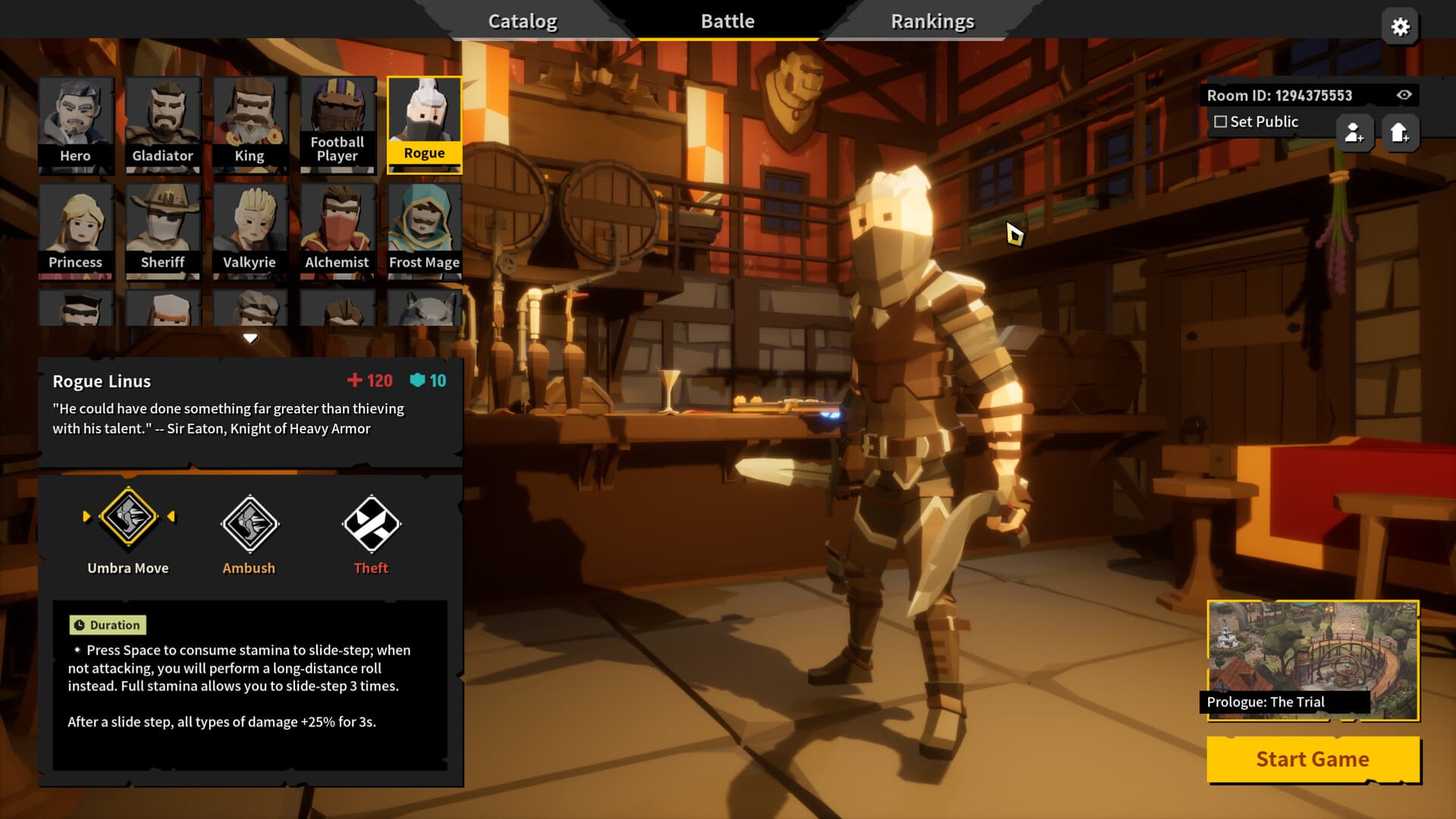
In this installment, you will delve deeper into this long-standing battle, with the story gradually becoming incredible! Time travel? Apocalypse? Saving the world? You will face many more unknown challenges... ...
But it still retains our beloved RogueLike + mowing-down-enemies combo, and you will face this catastrophe online with your friends (of course, you can also face it alone)!
■ Engaging and Deep Mechanics ■ ...
सिस्टम आवश्यकताएं
न्यूनतम
- Windows
- ऑपरेटिंग सिस्टम
- Windows 7 or newer, 64-bit
- प्रोसेसर
- Intel Core i3-6100 / AMD FX-8350
- मेमोरी
- 4 GB RAM
- ग्राफ़िक्स
- GTX 580 / AMD HD 7870
- DirectX
- Version 11
- नेटवर्क
- Broadband Internet connection
- स्टोरेज
- 5 GB available space
- साउंड कार्ड
- DirectX 11 Compatible
सिफारिश की
- Windows
- ऑपरेटिंग सिस्टम
- Windows 7 or newer, 64-bit
- प्रोसेसर
- Intel Core i5-4670K / AMD Ryzen 5 1500X
- मेमोरी
- 4 GB RAM
- ग्राफ़िक्स
- GTX 1060 / AMD Radeon RX 580
- DirectX
- Version 11
- नेटवर्क
- Broadband Internet connection
- स्टोरेज
- 5 GB available space
- साउंड कार्ड
- DirectX 11 Compatible