


활성화 방법
- Steam을(를) 설치하고 계정에 로그인하세요(무료 계정이면 충분합니다).
- 상단 메뉴에서 „게임” → „Steam에서 제품 활성화…”를 선택하세요.
- 주문에 표시된 그대로(하이픈 포함) 키를 입력하고 확인하세요. 게임이 라이브러리에 추가됩니다.
게임 정보
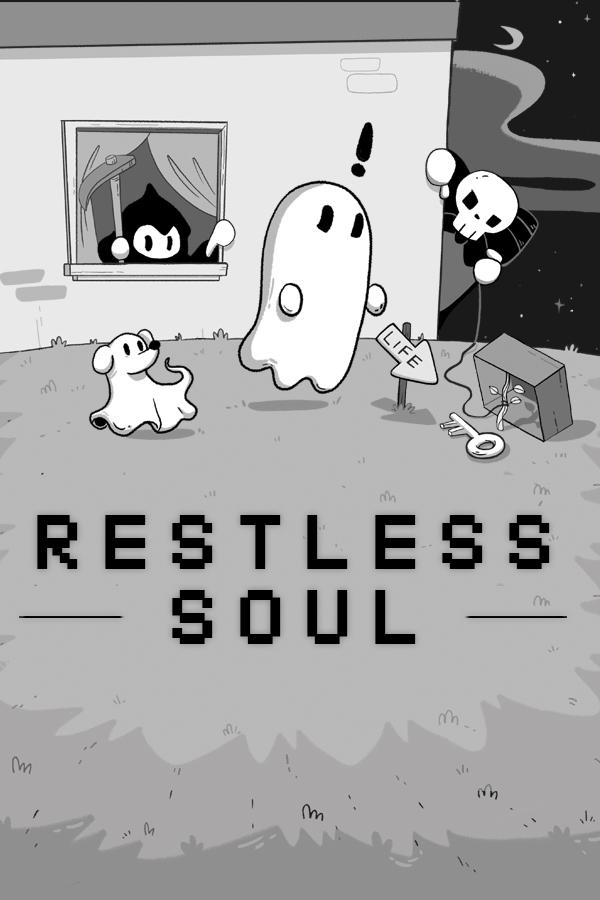
Welcome to Afterlife! Yes, you're dead... About the Game The adventure of a lifeti—er, afterlifetime—awaits! Help a wayward soul return to the land of the living in this hauntingly humorous comedy adventure that pokes fun at life, death, video games, pop culture, and everything in between. Prevail in bullet-hell lite battles as you traverse through a greyscale world in search of the eight keys that open the Portal back to Life. But you’re not the only one who wants those keys…the evil Dr. Krull and his army will do whatever it takes to get them first, and it’s the Grim Reaper’s job to stop you ...
시스템 요구 사항
최저한의
- Windows
- 운영체제
- Microsoft® Windows® 10
- 프로세서
- 1.2GHz processor (Intel Core i5 and up)
- 메모리
- 1 GB RAM
- 그래픽
- DirectX 10, 11, or 12 compatible card
- DirectX
- Version 10
- 저장공간
- 300 MB available space
- MAC OS
- 운영체제
- Mac OS 64 bit
- 프로세서
- Dual Core 2 Ghz CPU
- 메모리
- 1 GB RAM
- 그래픽
- 1 GB Video Memory
- 저장공간
- 600 MB available space
- Linux
- 운영체제
- Ubuntu 20.4, Ubuntu 18.04, and CentOS 7
- 프로세서
- x64 architecture with SSE2 instruction set support.
- 메모리
- 1 GB RAM
- 그래픽
- OpenGL 3.2+, Vulkan capable.
- 저장공간
- 600 MB available space
추천
- Windows
- 운영체제
- Microsoft® Windows® 10
- 프로세서
- Dual Core Intel i5 and above
- 메모리
- 2 GB RAM
- 그래픽
- Nvidia GeForce 700 series or greater
- 저장공간
- 300 MB available space
- MAC OS
- 운영체제
- Mac OS 64 bit (High Sierra 10.13+)
- 프로세서
- Dual Core Intel i5 and above
- 메모리
- 2 GB RAM
- 그래픽
- 2 GB Video Memory
- 저장공간
- 600 MB available space
- Linux
- 운영체제
- Ubuntu 20.4, Ubuntu 18.04, and CentOS 7
- 프로세서
- x64 architecture with SSE2 instruction set support.
- 메모리
- 1 GB RAM
- 그래픽
- OpenGL 3.2+, Vulkan capable.
- 저장공간
- 600 MB available space