कैसे सक्रिय करें
- Steam इंस्टॉल करें और अपने खाते में साइन इन करें (मुफ़्त खाता काफ़ी है)।
- ऊपर के मेनू में „Games” → „Activate a Product on Steam…” चुनें।
- कुंजी को ठीक वैसे ही दर्ज करें जैसे ऑर्डर में दिखाई गई है (डैश सहित) और पुष्टि करें। गेम आपकी लाइब्रेरी में दिखाई देगा।
गेम के बारे में
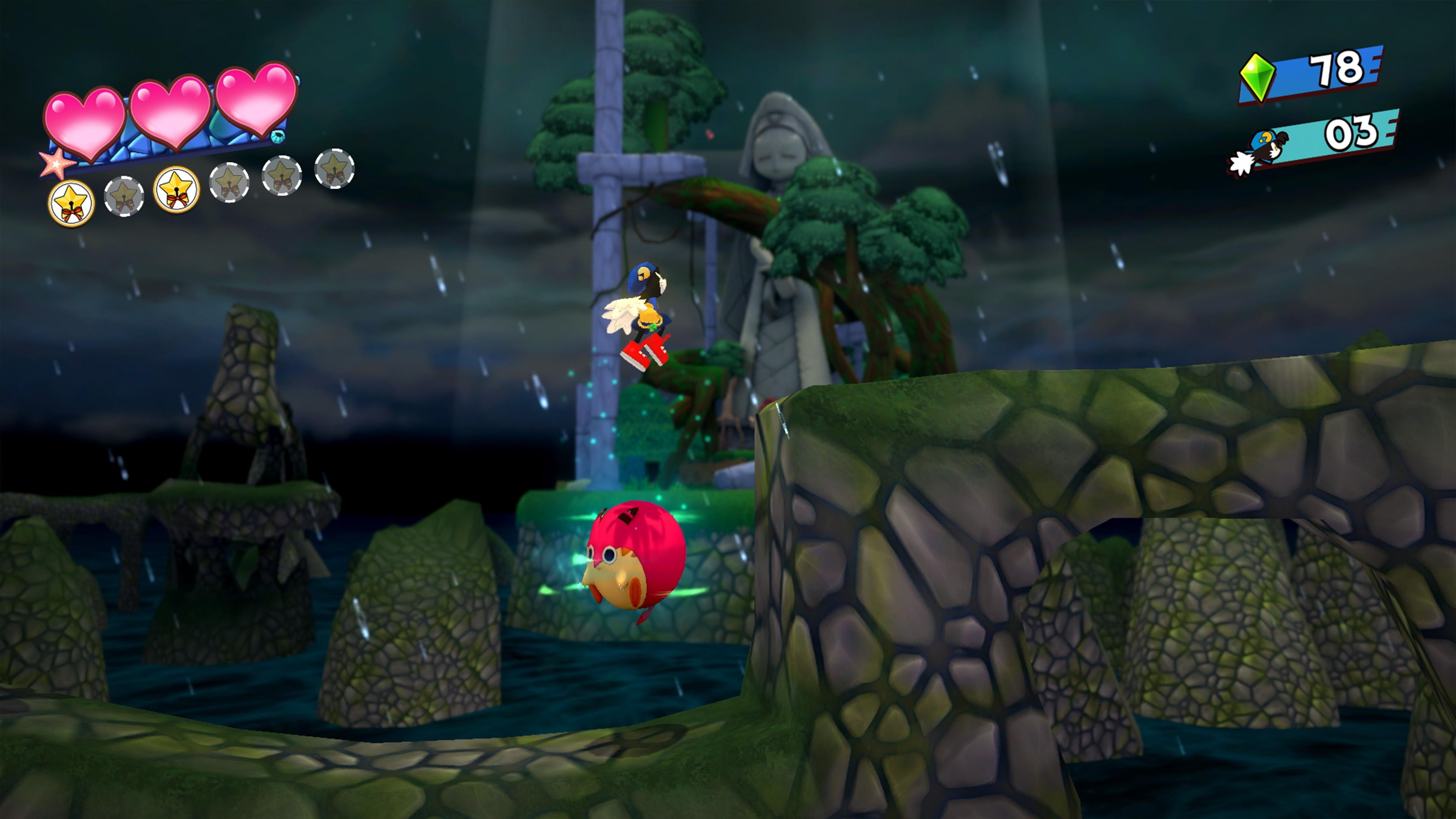
Klonoa is a 3D side-scrolling action game series whose first title was released by Namco in 1997.
Set in a unique universe populated by a range of original characters, the game follows the hero, Klonoa, as he sets off on a journey to save the world.
Commemorating the 25th anniversary of the first title in the series, we are pleased to announce the release of the Klonoa Phantasy Reverie Series, a remastered title combining both Klonoa: Door to Phantomile and Klonoa 2: Lunatea’s Veil! ...
सिस्टम आवश्यकताएं
न्यूनतम
- Requires a 64-bit processor and operating system
- ऑपरेटिंग सिस्टम
- Windows 10
- प्रोसेसर
- Intel Core i3-2100 | AMD Phenom II X4 965
- मेमोरी
- 6 GB RAM
- ग्राफ़िक्स
- NVIDIA GeForce GTX 650, 2GB | AMD Radeon HD 7790, 2GB
- स्टोरेज
- 10 GB available space
सिफारिश की
- Requires a 64-bit processor and operating system
- ऑपरेटिंग सिस्टम
- Windows 10
- प्रोसेसर
- Intel Core i5-2300 | AMD FX-8350
- मेमोरी
- 8 GB RAM
- ग्राफ़िक्स
- NVIDIA GeForce GTX 660, 2GB | AMD Radeon HD 7850, 2 GB
- स्टोरेज
- 10 GB available space