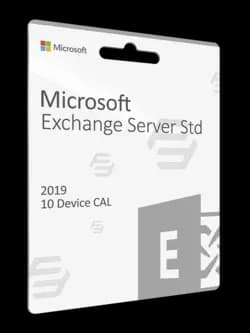
Microsoft Exchange Server 2019 Enterprise is a robust email and collaboration platform designed for organizations of all sizes. It comes with a range of features and capabilities that enable businesses to communicate, collaborate, and manage their email and calendar more efficiently. In this article, we will explore the key features and benefits of Microsoft Exchange Server 2019 Enterprise with a 10 Device CAL licensing model.
One of the main benefits of Microsoft Exchange Server 2019 Enterprise is its advanced security and compliance features. It includes built-in anti-spam and anti-malware protection, as well as data loss prevention capabilities, which can help organizations protect against email-based threats and prevent the loss of sensitive data. It also includes message encryption support, which ensures that emails and other communications remain secure and confidential.
Another significant feature of Microsoft Exchange Server 2019 Enterprise is advanced calendaring and scheduling capabilities. It includes features like resource booking and delegation, which can help organizations manage their meeting rooms, equipment, and other resources more efficiently. It also includes support for shared calendars and free/busy scheduling, which can help teams coordinate their schedules and collaborate more effectively.
Apart from email and calendaring, Microsoft Exchange Server 2019 Enterprise also includes advanced collaboration features. It includes support for shared mailboxes and public folders, which can help teams share information and collaborate on projects more efficiently. It also supports mobile devices, enabling users to access their email and calendar from anywhere, at any time.
Microsoft Exchange Server 2019 Enterprise also includes robust management and administration tools. It includes a web-based management console, which provides a centralized location for managing Exchange servers and users. It also includes PowerShell support, enabling administrators to automate routine tasks and manage Exchange environments more efficiently.
When it comes to licensing, Microsoft Exchange Server 2019 Enterprise uses the Device CAL licensing model. This means that organizations need to purchase a Device CAL for each device that accesses the Exchange server. A Device CAL is assigned to a specific device and allows any user who accesses that device to use the Exchange server.
The 10 Device CAL licensing model can be a cost-effective option for organizations that have a moderate number of users who share devices, such as in a small business environment. It can also be a good option for organizations that have a high number of devices that are used to access the Exchange server, such as in a conference room or kiosks.
One of the key benefits of the 10 Device CAL licensing model is that it simplifies licensing and reduces administrative overhead. Organizations only need to purchase and manage licenses for the devices that access the Exchange server, rather than individual user licenses. This can make it easier to manage licensing and ensure compliance with licensing agreements.
Another benefit of the 10 Device CAL licensing model is that it provides flexibility and scalability. Organizations can purchase Device CALs as needed and can easily add or remove devices as their needs change. This can enable organizations to scale their Exchange environments as their needs grow, without having to worry about managing individual user licenses.
In summary, Microsoft Exchange Server 2019 Enterprise with 10 Device CAL licensing is a powerful email and collaboration platform designed for organizations of all sizes. It includes advanced features and capabilities for email, calendaring, collaboration, and management, as well as advanced security and compliance features. The 10 Device CAL licensing model is a cost-effective and flexible option for organizations that need to provide access to the Exchange server for multiple users on shared devices. Whether you're managing a small team or a large enterprise, Microsoft Exchange Server 2019 Enterprise with 10 Device CAL licensing is an excellent choice for your email and collaboration needs.