

How to activate
- Install Steam and sign in to your account (a free account is enough).
- In the top menu choose Games → Activate a Product on Steam…
- Enter your key exactly as shown in your order (with dashes) and confirm. The game appears in your library.
About
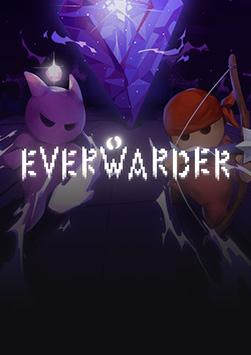
In Everwarder there's you, and a procedurally-generated world covered in darkness. Touch it - and it will spawn a creature that will try to destroy your most precious thing – a crystal with your friend trapped inside.
Every run starts with your crystal and a supply of energy. Then it's up to you how to fight the darkness. Do you steadily expand, clearing the darkness, harvesting its energy, and carefully deploying defenders to deal with whatever emerges from the dark? Or do you play it fast and loose, striking out to locate ancient structures and powerful artifacts hidden within? ...
System Requirements
Minimum
- Windows
- OS
- Windows 7+ (64bit)
- Processor
- Core 2 Duo
- Memory
- 512 MB RAM
- DirectX
- Version 10
- Storage
- 512 MB available space
- macOS
- OS
- macOS 10.13
- Processor
- Intel i3+
- Memory
- 512 MB RAM
- Storage
- 512 MB available space
- Linux
- OS
- Ubuntu 18.04 (or any recent Linux distribution)
- Processor
- Intel i3+
- Memory
- 512 MB RAM
- Storage
- 512 MB available space
Recommended
- Windows
- OS
- Windows 10 (64bit)
- Processor
- Intel i5+
- Memory
- 1 GB RAM
- DirectX
- Version 11
- Storage
- 512 MB available space
- macOS
- OS
- macOS 13
- Processor
- Intel i5+
- Memory
- 1 GB RAM
- Storage
- 512 MB available space
- Linux
- OS
- Ubuntu 23.04
- Processor
- Intel i5+
- Memory
- 1 GB RAM
- Storage
- 512 MB available space