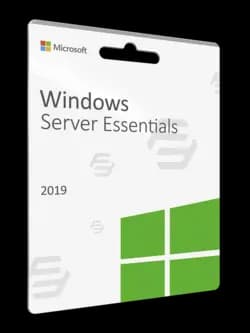
Windows Server 2019 Essentials is a server operating system designed for small businesses with up to 25 users and 50 devices. It is an affordable, easy-to-use, and reliable solution that helps businesses to run their operations efficiently and effectively. In this article, we will explore the key features and benefits of Windows Server 2019 Essentials, and why it might be the right solution for your small business.
Installation and Setup
Windows Server 2019 Essentials is designed to be easy to install and set up, even for non-technical users. It comes with a simplified dashboard that guides users through the setup process, making it easy to install and configure the server. Once the server is up and running, the dashboard provides a central location for managing user accounts, network settings, and other server tasks.
User Management
One of the key benefits of Windows Server 2019 Essentials is its user management features. It allows you to easily create and manage user accounts, giving you complete control over who has access to your network and resources. You can set up different levels of access for different users, ensuring that everyone has the appropriate level of access to the files and applications they need.
Remote Access
Windows Server 2019 Essentials also offers remote access capabilities, which allows users to access the server from anywhere, at any time. This is particularly useful for businesses with remote workers or those who need to access the server from home or on the go. Remote access can be set up quickly and easily through the dashboard, with secure connections provided by a VPN or Remote Web Access.
Data Protection
Windows Server 2019 Essentials offers advanced data protection features, including automatic backups and file recovery. With the built-in backup tools, you can easily set up scheduled backups of your data and files, and restore them quickly in case of data loss or corruption. The server also comes with advanced security features, including Windows Defender and Windows Firewall, to protect your network and data from malicious attacks.
Integration with Cloud Services
Windows Server 2019 Essentials integrates seamlessly with cloud services such as Microsoft Azure and Office 365. This allows you to take advantage of the benefits of cloud computing, such as increased scalability, cost savings, and flexibility. The server can also be used to host cloud-based applications, making it a great choice for businesses that want to leverage the power of cloud computing.
Scalability
While Windows Server 2019 Essentials is designed for small businesses, it is also scalable and can grow with your business needs. As your business expands and your needs change, you can easily upgrade to a more advanced version of Windows Server, such as Windows Server Standard or Datacenter, without losing any of your existing data or settings.
In conclusion, Windows Server 2019 Essentials is a powerful, affordable, and easy-to-use server operating system designed for small businesses. Its user management, remote access, data protection, cloud integration, and scalability features make it an excellent choice for businesses that want to improve their operations and increase productivity. If you're looking for a reliable and cost-effective server solution for your small business, Windows Server 2019 Essentials is definitely worth considering.

 Khóa kỹ thuật số