
How to activate
- Install Steam and sign in to your account (a free account is enough).
- In the top menu choose Games → Activate a Product on Steam…
- Enter your key exactly as shown in your order (with dashes) and confirm. The game appears in your library.
About
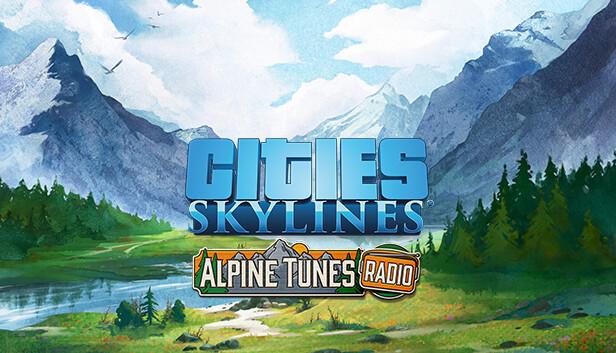
For all the city builders who love the sounds of trees whispering in the wind, this Radio Station is for you! With “Alpine Tunes,” you’ll immerse yourself in 16 tracks and almost one hour of music perfect for your next trip to the mountaintop.
System Requirements
Minimum
- Steam account is required for game activation and installation.
- This content requires the base game Cities: Skylines on Steam in order to play.
- Windows Requirements
- Requires a 64-bit processor and operating system
- OS
- Windows® 10 Home 64 Bit
- Processor
- Intel® Core™ I7 930 | AMD® FX 6350
- Memory
- 8 GB RAM
- Graphics
- Nvidia® GeForce™ GTS 450 (1 GB) | AMD® R7 250 (2 GB) | Intel Iris Xe G7 (Tiger Lake)
- DirectX
- Version 9.0c
- Network
- Broadband Internet connection
- Storage
- 4 GB available space
Recommended
- Requires a 64-bit processor and operating system
- OS
- Windows® 10 Home 64 bit
- Processor
- Intel® Core™ I7 2700K | AMD® Ryzen 7 2700X
- Memory
- 16 GB RAM
- Graphics
- Nvidia® GeForce™ GTX 580 (1.5 GB) | AMD® Radeon™ RX 560 (4 GB)
- DirectX
- Version 11
- Network
- Broadband Internet connection
- Storage
- 4 GB available space
- Mac OS Requirements
- Minimum
- OS
- OS X 10.11 (64-bit)
- Processor
- Intel Core 2 Duo, 3.0GHz
- Memory
- 6 GB RAM
- Graphics
- nVIDIA GeForce GTX 260, 512 MB or ATI Radeon HD 5670, 512 MB (Does not support Intel Integrated Graphics Cards)
- Network
- Broadband Internet connection
- Storage
- 4 GB available space
Legal information
©2024 and published by Paradox Interactive AB. CITIES: SKYLINES and PARADOX INTERACTIVE are trademarks and/or registered trademarks of Paradox Interactive AB in Europe, the U.S. and other countries